


Applicable Scope
This guide applies to Gate Web
Before you start: Ensure you have a Gate account, are logged in, and have sufficient USDT balance to cover processing fees
Estimated time: 5 m
Objective
This guide will walk you through how to submit and track a deposit recovery request when your deposit has not been received on Gate Web.
Steps
Step 1: Access the Recovery Request Feature
Log in to Gate Web and click "Deposit" in the top right corner, then select "On-chain Deposit". On the deposit page, click "Deposit Not Received - Recovery Request" on the right side.
Alternatively, access the feature directly at: https://www.gate.com/myaccount/deposit_refund
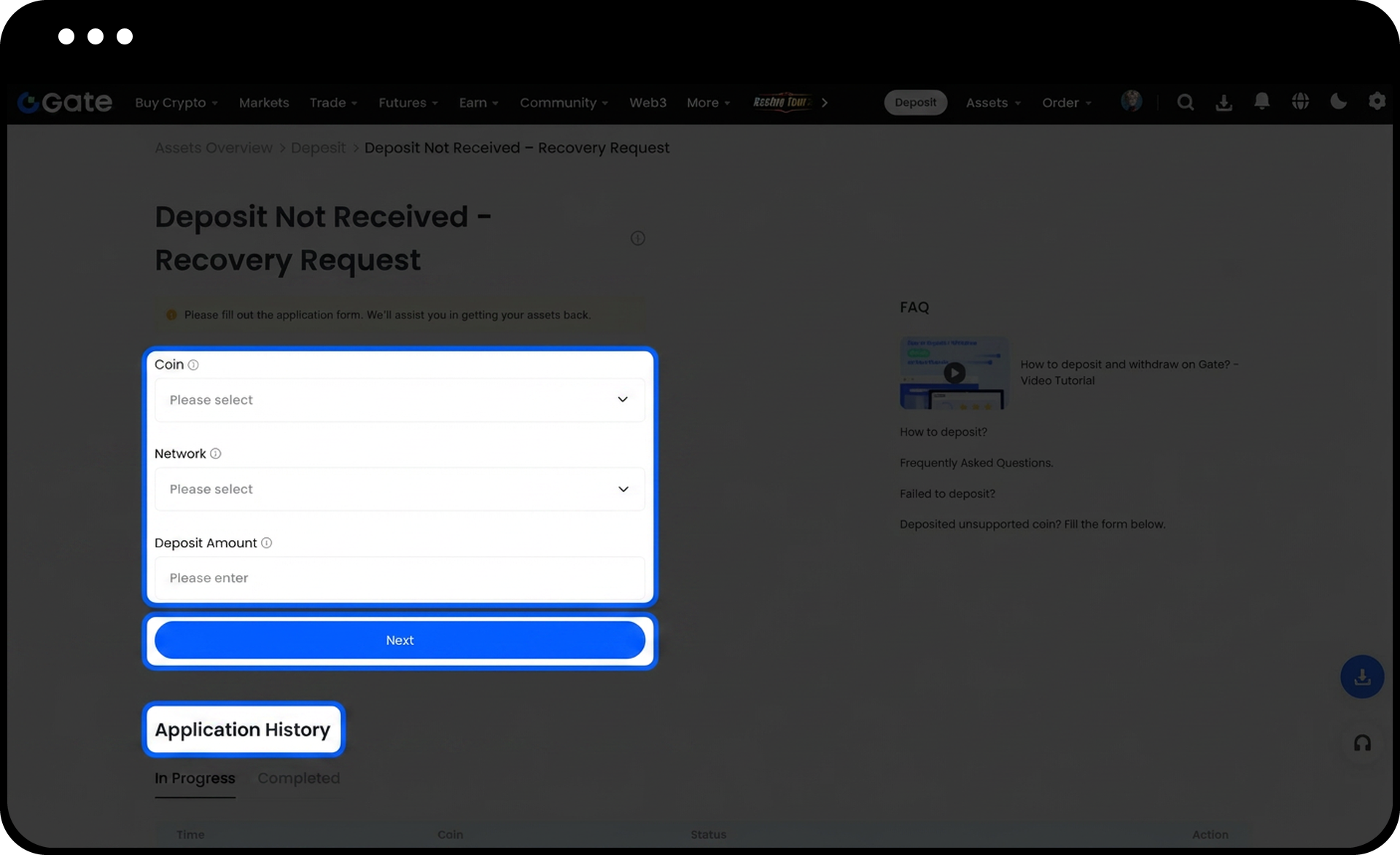
Step 2: Verify Your Eligibility
Confirm that your situation matches one of the following scenarios:
- Deposits with missing or incorrect Memo/Tag
- Deposits made to a Gate hot wallet address
Step 3: Prepare Required Information
Gather the following information before submitting:
- Coin name and network (must exactly match blockchain explorer data)
- Transaction hash/TxID (must exactly match blockchain explorer data)
- Screen recording of the original withdrawal process (required if deposit amount exceeds 100 USDT)
The screen recording must clearly show the entire withdrawal procedure, including logging into the withdrawal platform, clicking on the withdrawal order, and displaying full order details.
Step 4: Submit Your Request
Enter all required information on the request form. Review the fee amount displayed on the page, which represents the actual on-chain cost converted to USDT. Ensure your account has sufficient USDT balance to cover this fee, then submit your request.
Step 5: Track Your Request Status
Navigate to the request list to monitor your submission status. Requests are typically processed within 7 business days after submission.
If your request is rejected, review the rejection reason and submitted information on the same page. Common rejection reasons include:
- TxID does not match or cannot be found
- Incorrect coin or network selected
- Required screen recording not provided for large deposits
- Insufficient USDT balance to cover the fee
Step 6: Resolve Rejected Requests
If your request is rejected, double-check the submitted information against blockchain explorer data. Correct any discrepancies and resubmit. If you're unsure about the issue or encounter difficulties, contact customer service or submit a ticket for assistance.
Notes
- All information provided must exactly match the data on the blockchain explorer.
- Only the actual on-chain fee will be charged for processing.
- If the refund fails, the fee will be returned to your account.
- Ensure sufficient USDT balance before submitting to avoid rejection.
- Digital asset transactions involve significant risks.
- Gate may update product features, interfaces, and fee structures at any time.
- This information is for educational purposes only and does not constitute financial advice.
- Please refer to Gate's Risk Disclosure and User Agreement for comprehensive risk information.
FAQ
Q1: How long does it take to process my recovery request?
A: Recovery requests are typically processed within 7 business days after submission. Processing time may vary depending on the complexity of your case.
Q2: What happens to the fee if my recovery request fails?
A: If the refund fails, the processing fee will be returned to your account. The fee only covers actual on-chain costs converted to USDT.
Q3: Why do I need to provide a screen recording for deposits over 100 USDT?
A: The screen recording serves as verification of the original withdrawal process. It must clearly show the entire procedure, including logging into the withdrawal platform, accessing the withdrawal order, and displaying complete order details to prevent fraudulent recovery requests.
Q4: Can I edit my request after submission?
A: You cannot edit a submitted request. If your request is rejected due to incorrect information, you must submit a new request with corrected details that match the blockchain explorer data.
Disclaimer
The content provided herein is for reference and educational purposes only and does not constitute any financial, investment, trading, or legal advice, nor does it constitute an offer or solicitation to buy or sell any digital assets. Gate makes no express or implied representations or warranties regarding the accuracy, completeness, or timeliness of the information contained herein. Product features, interfaces, rules, and fee structures may be updated or adjusted at any time. Please refer to the latest announcements and the actual information displayed on the Gate platform for the most accurate details.
Digital asset investments involve significant risk, and prices may fluctuate substantially. You may lose the entire amount of your investment. Please make decisions cautiously based on your own financial situation and risk tolerance after fully understanding the associated risks. If necessary, you are advised to consult an independent professional financial or legal advisor.
For more information about potential risks, please refer to Gate's Risk Disclosure and User Agreement.
