


Différences entre les modes de compte
| Mode Spot classique | Mode Marge à devise unique | Mode Marge multi-devises | Mode Marge de portefeuille | |
|---|---|---|---|---|
| Utilisateurs cibles | Traders réguliers | Traders réguliers | Traders professionnels | Traders en couverture avancés |
| Portée des services | - Spot | - Spot - Contrats perpétuels USDT-M - Options |
- Spot - Cross Margin - Contrats perpétuels USDT-M - Options |
- Spot - Cross Margin - Contrats perpétuels USDT-M (8 marchés) - Options (8 marchés) |
| Utilisation des fonds Simple Earn comme marge |
Non | Oui | Oui | Oui |
| Possibilité de couverture Spot |
Non | Non | Non | Oui |
| Conditions requises | Aucune | Aucune | Valeur totale des actifs du compte ≥ 500 USD |
Valeur totale des actifs du compte ≥ 10 000 USD |
| Règles de contrôle des risques | En isolant les types de transactions et les risques, la perte d'un compte n'aura pas d'effet d'entraînement sur les autres. Les G et P non réalisés entre les différents types de trading ne peuvent pas être compensés. | Les USDT sont isolés des autres actifs, et seuls les USDT sont concernés par la liquidation. | Les G et P des différents types d'opérations peuvent se compenser, mais la liquidation peut anéantir la totalité de votre marge. | Le G et P entre différents types de trading peut s’annuler mutuellement, mais une liquidation pourrait entraîner la perte de l’intégralité de votre marge. |
| Mode Futures | USDT-M Perpetual Futures Supporte les marges croisées/isolées |
USDT-M Perpetual Futures Supporte la marge croisée/isolée |
USDT-M Perpetual Futures Supporte la marge croisée/isolée |
USDT-M Perpetual Futures Supporte la marge croisée seulement |
| Mode position futures | Mode unidirectionnel Mode couverture Mode de fractionnement de la couverture |
Mode unidirectionnel Mode de couverture Mode de fractionnement de la couverture |
Mode unidirectionnel Mode de couverture Mode de fractionnement de la couverture |
Mode unidirectionnel uniquement |
| Portée de l’emprunt | Emprunt non pris en charge | Emprunt non pris en charge | Emprunt manuel Emprunt automatique |
Emprunt manuel Emprunt automatique |
| Marge Marge Détails |
—— | - Les actifs en USDT servent de marge pour les contrats à terme et les options - Les bénéfices non réalisés sur les futures et les souscriptions flexibles en USDT dans Simple Earn peuvent être utilisés pour ouvrir des positions. |
- La valeur en USD de plusieurs actifs sert de marge pour les marges croisées, les contrats à terme et les options. - Les bénéfices non réalisés sur les Futures et les souscriptions flexibles Simple Earn peuvent être utilisés pour ouvrir des positions. |
- La valeur en USD de plusieurs actifs sert de marge pour les marges croisées, les contrats à terme et les options. - Les bénéfices non réalisés sur les Futures et les souscriptions flexibles Simple Earn peuvent être utilisés pour ouvrir des positions. - Toutes les positions d'une même pièce sous-jacente sont regroupées en tant qu'unité de risque. La marge est calculée après la couverture des risques au sein de chaque unité de risque. |
Différences dans les règles de marge et de contrôle des risques entre les différents modes
1. Mode de marge à devise unique
Mode Marge à devise unique - Exigences de marge et gestion des risques | Gate.com
**2. Mode de marge multi-devises
Mode de marge multidevise - A propos de la marge et de la terminologie | Gate.com
Mode Marge multi-devises - Mécanisme de contrôle des risques | Gate.com
**3. Mode portefeuille sur marge
Mode de marge du portefeuille - A propos de la marge et du mécanisme de contrôle des risques
Différences fonctionnelles entre les modes
1. Mode Spot classique
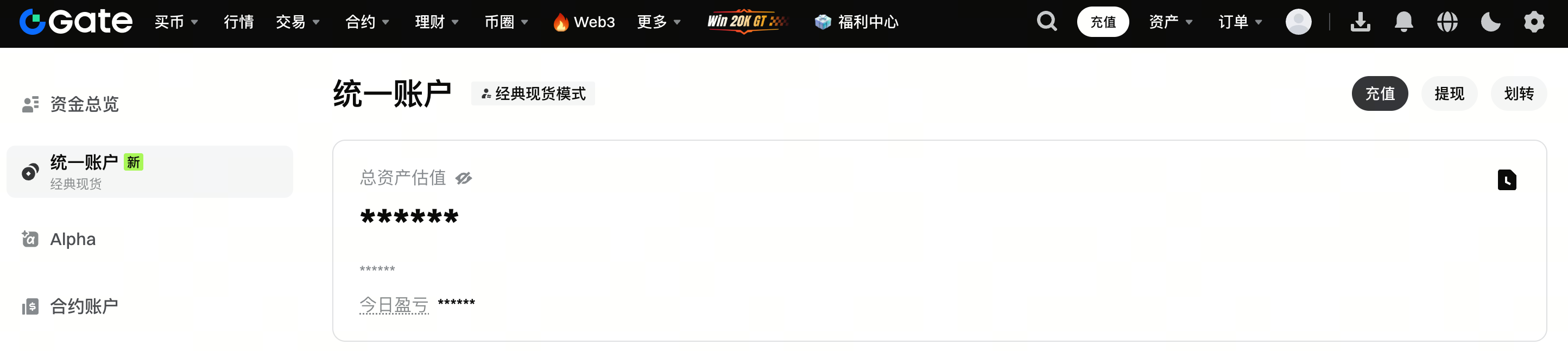
Le mode spot classique fonctionne de la même manière qu'avant la mise à jour. La page des actifs et la page des transactions affichent les soldes des actifs pour chaque type de transaction, et les actifs affichés dans le compte unifié correspondent aux soldes originaux au comptant.

**2. Mode de marge à devise unique
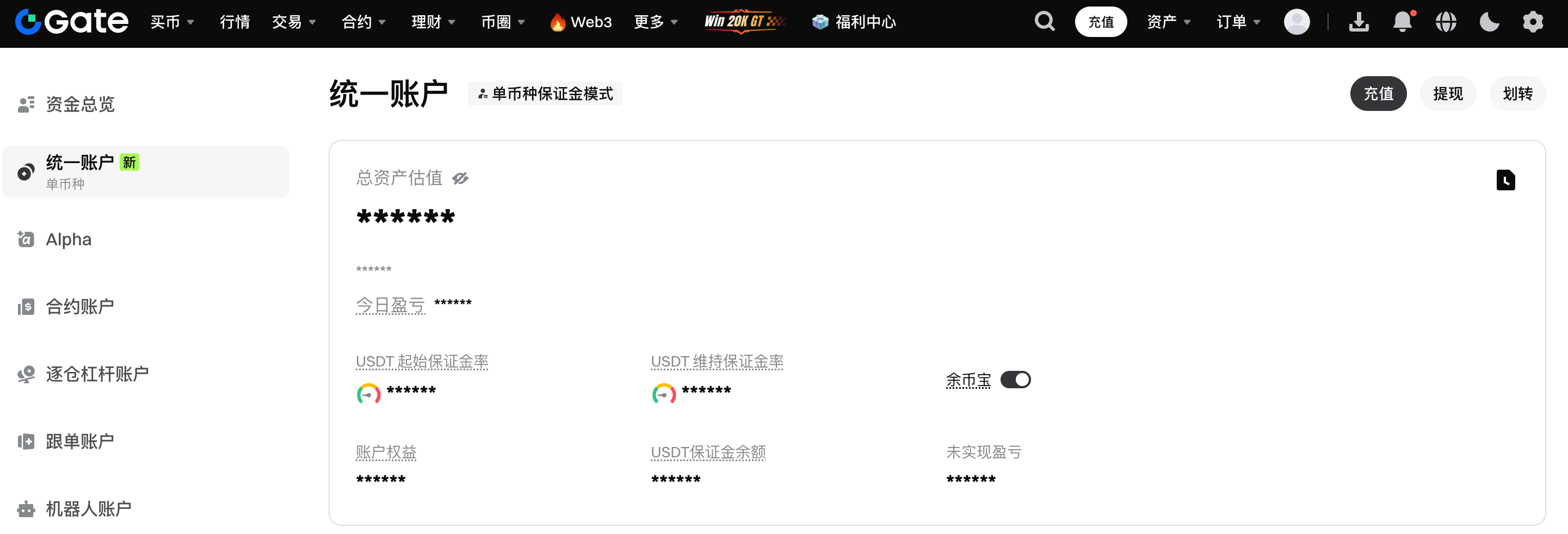
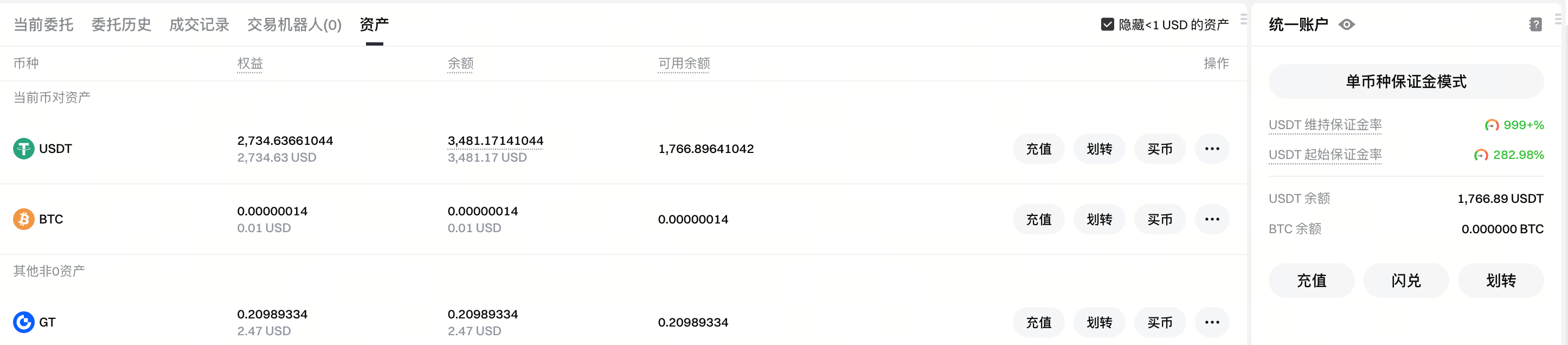
Au niveau du compte unifié, les champs clés comprennent l'IMR, le MMR et le solde de marge. Étant donné que seul l'USDT est pris en charge comme marge dans ce mode, IMR représente le ratio de marge initiale pour les positions USDT-M, MMR représente le ratio de marge de maintenance pour les positions USDT-M, et le solde de marge reflète également la marge de l'USDT. La liquidation n'affecte que les actifs en USDT.
Le mode de marge mono-devise permet d'activer les fonds Simple Earn en tant que marge. Lorsque cette option est activée, les actifs en USDT des abonnements flexibles Simple Earn sont inclus dans la marge du compte unifié, ce qui permet de réduire le risque de liquidation causé par la volatilité du marché des produits dérivés.
3. Mode de marge multi-devises
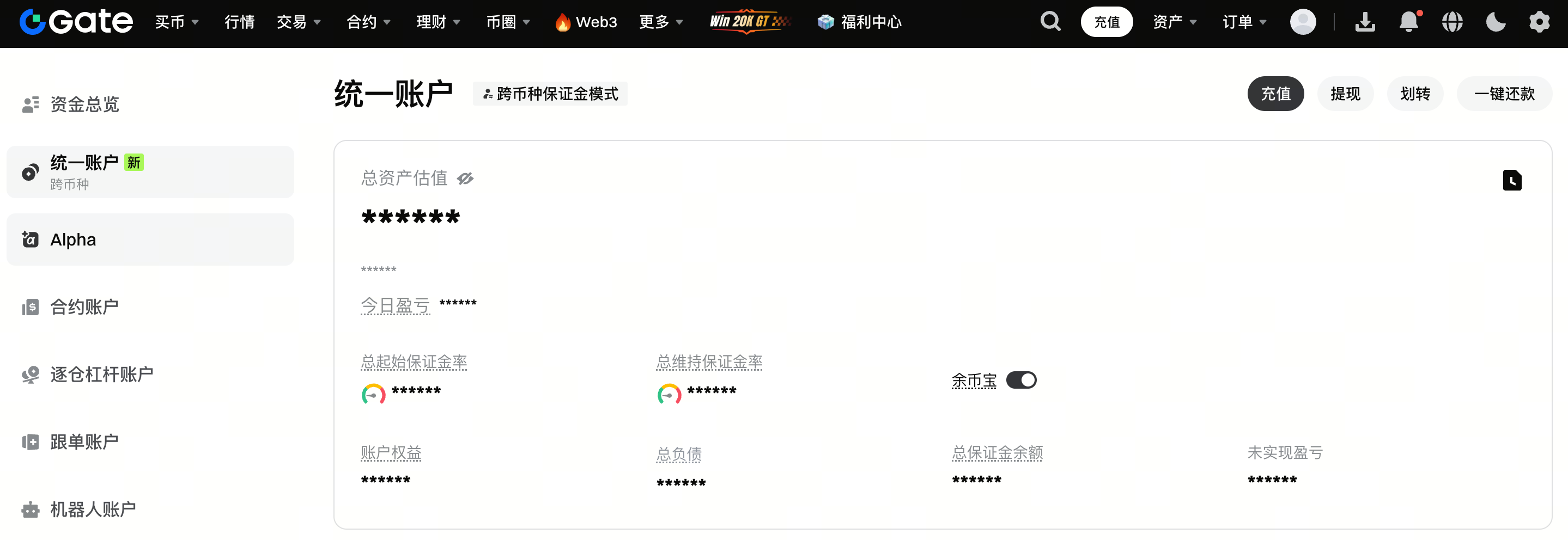
En mode de marge multidevise, la valeur en USD de plusieurs actifs sert de marge. L'IMR désigne le ratio de marge initiale du compte, le MMR désigne le ratio de marge de maintien du compte, et le solde de la marge reflète la valeur de la marge du compte. La liquidation peut impliquer l'effacement de tous les actifs utilisés comme marge dans plusieurs devises.
Ce mode permet d'activer les fonds Simple Earn comme marge. Lorsque cette option est activée, tous les actifs flexibles éligibles au programme Simple Earn sont automatiquement inclus dans la marge du compte unifié, ce qui réduit encore les risques de liquidation liés aux fluctuations du marché.
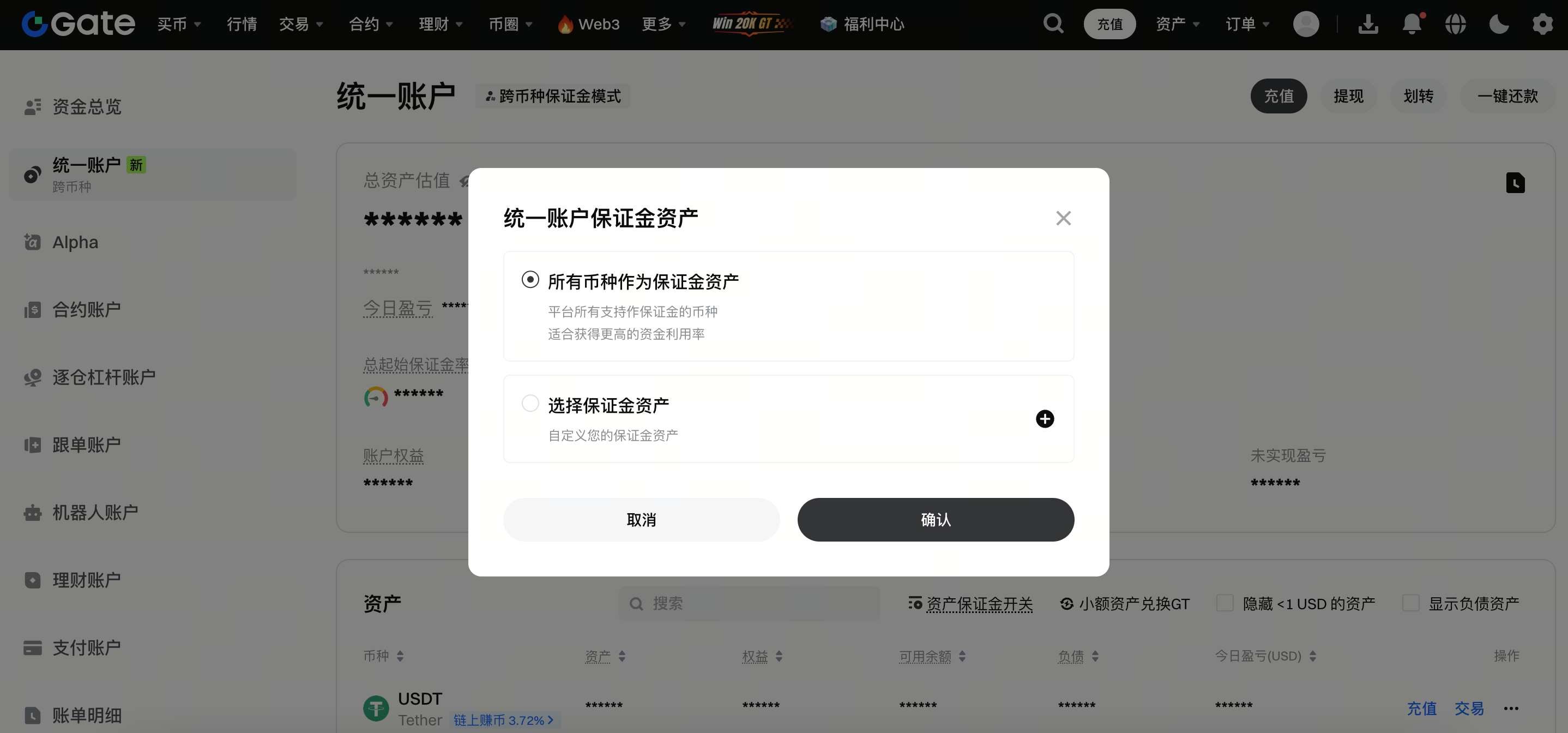
Le mode Marge multi-devises permet également de personnaliser les actifs utilisés comme marge. Vous pouvez choisir les devises à inclure si vous ne souhaitez pas que l’ensemble des actifs en devises serve de marge.
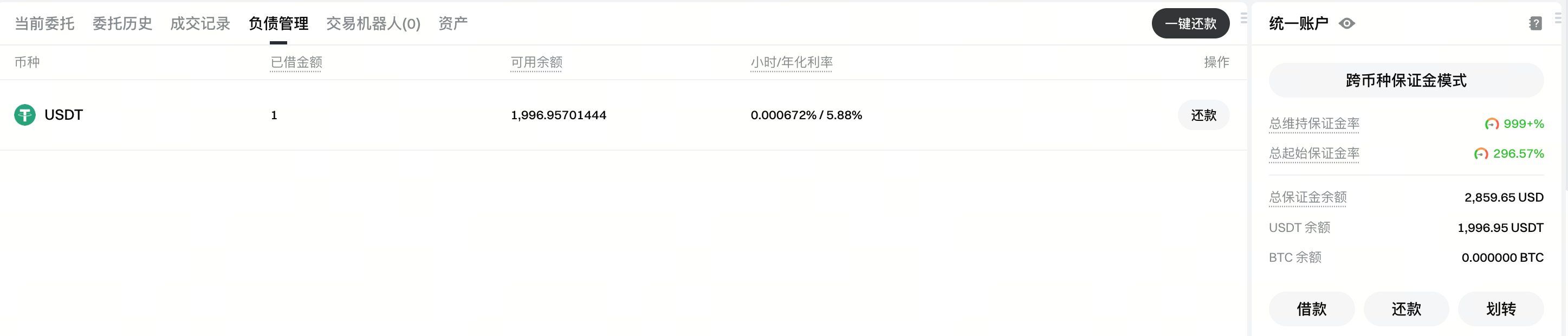
Ce mode inclut la Marge croisée et prend en charge l’emprunt et le remboursement, à la fois manuels et automatiques. Les dettes peuvent être consultés sur la page des actifs ainsi que sur la page de trading.
**4. Mode portefeuille sur marge
En mode marge de portefeuille, la valeur en USD de plusieurs actifs sert de marge. La liquidation peut impliquer l'effacement de tous les actifs utilisés comme marge dans toutes les devises.
Tout comme le mode de marge multidevise, les fonds Simple Earn peuvent également être utilisés comme marge. Lorsque cette option est activée, tous les actifs flexibles éligibles au programme Simple Earn sont inclus dans la marge du compte unifié, ce qui réduit encore le risque de liquidation en cas de volatilité du marché.
Le mode Marge de portefeuille prend en charge la couverture Spot. Lorsque la couverture Spot est activée, l’equity des coins participe au mécanisme de couverture par unité de risque, ce qui permet de compenser les risques entre des positions corrélées.
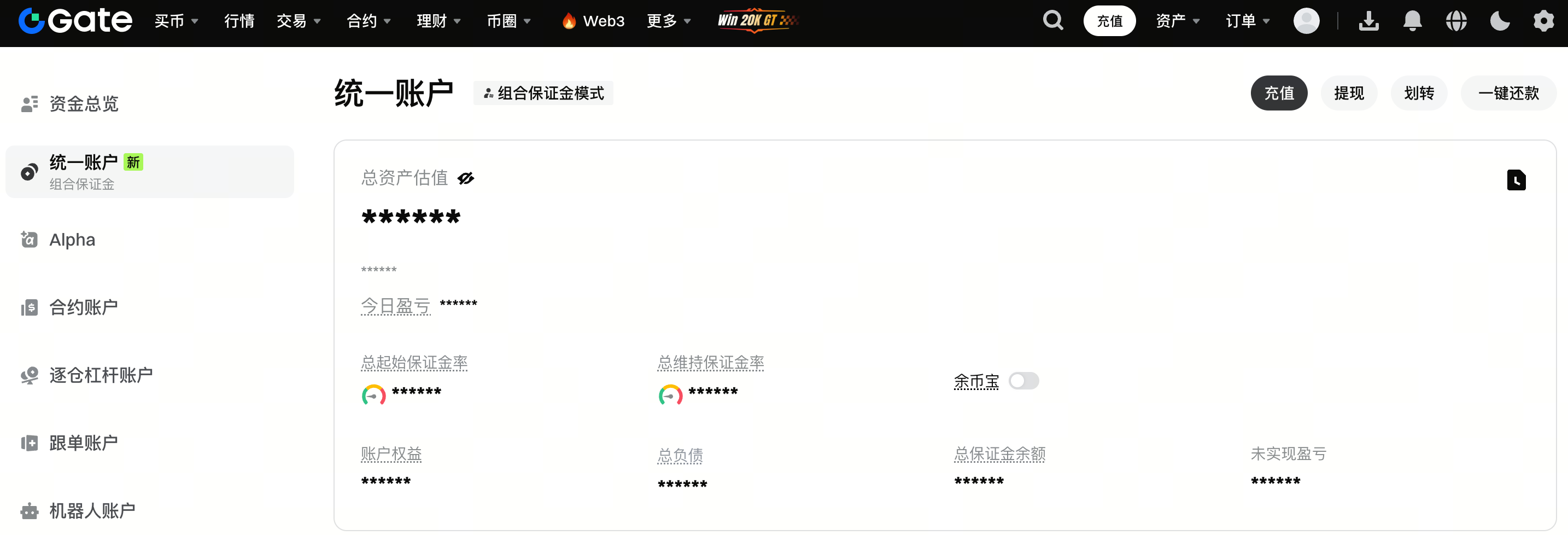
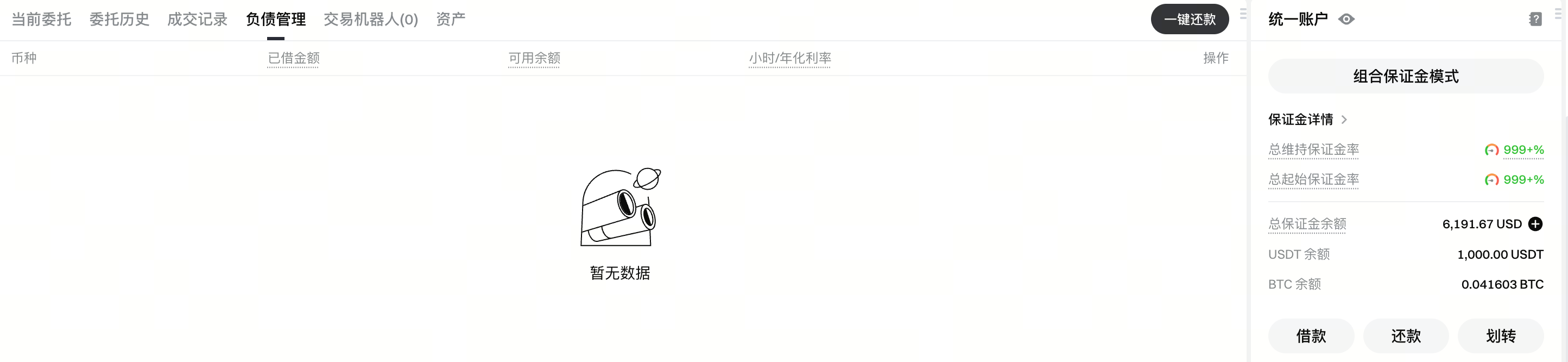
Ce mode inclut la Marge croisée et prend en charge l’emprunt et le remboursement, à la fois manuels et automatiques. Les dettes peuvent être consultés sur la page des actifs ainsi que sur la page de trading.
Le contenu présenté ici est fourni à titre informatif et éducatif uniquement et ne constitue en aucun cas un conseil financier, d'investissement, de trading ou juridique, ni une offre ou une sollicitation d'achat ou de vente de tout actif numérique. Gate ne donne aucune garantie expresse ou implicite quant à l'exactitude, l'exhaustivité ou l'actualité des informations contenues dans ce Les fonctions des produits, les interfaces, les règles et les structures tarifaires peuvent être modifiées ou ajustées à tout moment. Veuillez vous référer aux dernières annonces ainsi qu'aux informations affichées sur la plateforme Gate pour obtenir les détails les plus précis.
Les investissements en actifs numériques comportent des risques importants, et les prix peuvent connaître d'importantes fluctuations. Vous pouvez perdre la totalité de votre investissement. Veillez à prendre vos décisions avec prudence, en fonction de votre situation financière et de votre tolérance au risque, après avoir pleinement compris les risques associés. Si nécessaire, il est recommandé de consulter un conseiller financier ou juridique indépendant.
Pour plus d'informations sur les risques potentiels, veuillez consulter la déclaration des risques et les conditions d'utilisation de Gate.
